Crossover Pointwith
Crossover Point Management System
A church operations management system for maintaining schedules, events, services, users, permissions, roles, and offerings — giving administrators one structured control centre for day-to-day church operations.
- Crossover Point
- Church operations system
- 2025
- crossoverpoint.org.my (opens in a new tab)Public website of the same organisation
Context
Where the project started.
Crossover Point is a church community in Malaysia with a public website, a member mobile app, and an operations team coordinating recurring services, events, volunteer schedules, and offerings.
Running that coordination across general-purpose tools means schedule changes, role assignments, and offering records live in different places, with no shared view of what is current and no controlled record of who changed what. The admin portal was built to bring those workflows into one permissioned system.
Challenge
What shaped the build.
- Sensitive workflows — offerings and member records — needed role-scoped access and reviewable listings rather than open tables.
- Recurring service schedules made one-at-a-time entry impractical; bulk creation had to coexist with safe individual edits.
- The system had to publish cleanly to a separate member-facing mobile app without exposing admin internals.
Who uses it
The people the system serves.
- Administrators
- Maintain schedules, events, services, users, roles, and offerings from a central dashboard.
- Ministry / team leads
- Work with the schedules and requests relevant to their role, scoped by the permission matrix.
- Members (via the app)
- Receive the downstream output — event, service, and announcement notifications published from this system.
Solution
What we designed and built.
What we designed
- An admin UX organised around the team’s actual objects — schedules, services, events, users, offerings — rather than generic CRUD tables.
- A dashboard that surfaces pending requests first, so the operations team starts from what needs attention.
- A permission matrix UI that makes role capabilities visible and reviewable at a glance.
What we built
- The full web application: authentication, role-based access control, and the management modules behind each workflow.
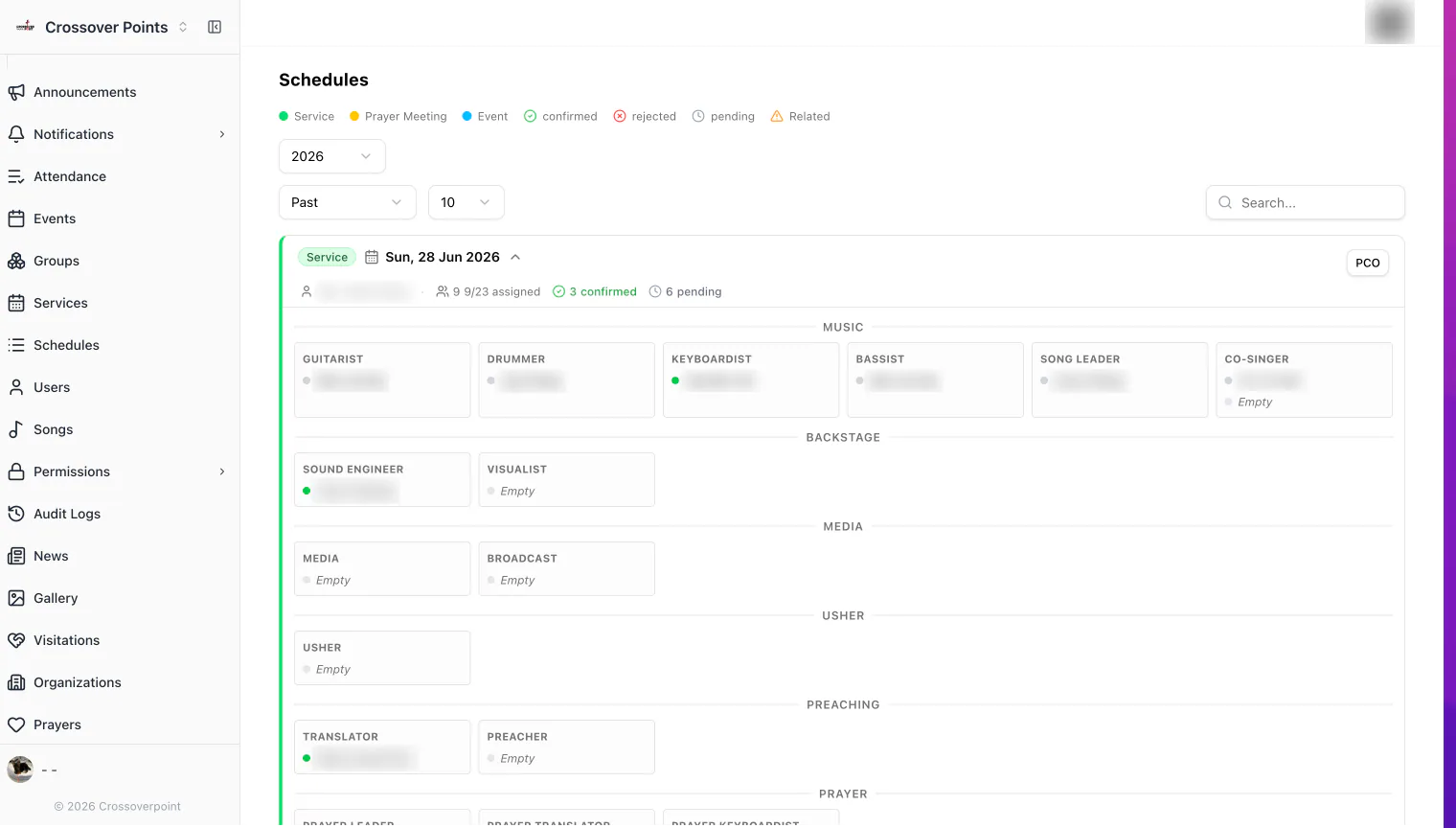
- Bulk schedule-creation tooling for recurring services, alongside individual editing and a calendar view.
- Structured offering records with review-friendly listings.
- The publishing pipeline that feeds schedules, events, and announcements to the member mobile app.
Key modules
- Login and authentication
- Operations dashboard with requests
- Schedules + bulk schedule creation
- Calendar view
- Events and services management
- User management
- Permission matrix and roles
- Offering records
The workflow
- An administrator signs in to a permission-scoped dashboard showing current requests and activity.
- Service and event schedules are created individually or in bulk, then reviewed on a calendar view.
- Users are managed against roles, with a permission matrix controlling who can see and change what.
- Offerings are recorded through a structured form so sensitive records stay organised and reviewable.
- Published schedules, events, and announcements flow through to members via the companion mobile app.
Screens
Screens from the shipped build.
Shown in the order a user actually moves through the system; select a screen to enlarge it. Published with the client’s agreement — client data comes first, and only approved screens appear here. Read more about how we protect data in our privacy policy.
Crossover Portal sign-in screen Admin dashboard shown after sign-in, with pending operational requests Service schedule management list Bulk schedule creation form for recurring services Calendar view of church services and events User management list with roles Role configuration screen Permission matrix controlling role capabilities Structured offering record form Offering summary with deductions, grand total, and dual witness sign-off
Outcomes
What the system does today.
We report what the system does in operation — not metrics we can’t verify.
- Schedules, events, services, users, roles, and offerings are now maintained in one permissioned system instead of scattered tools.
- Access is controlled through an explicit permission matrix, so sensitive records are only visible to the roles that need them.
- Members receive event, service, and announcement updates through the companion app, published directly from this portal.
Client statement
In the client’s words.
“Noctverse has been incredibly responsive throughout our project. They were always willing to build custom features that fit our operations instead of pushing generic solutions. What we appreciate most is that they're not overly calculative — they genuinely work with us to achieve the best outcome while respecting our budget.”

Letitia Chew
Treasurer, Crossover Point